
June 3, 2026
The SEO Problems Costing You Rankings Are Usually the Ones You Never Notice
Stop chasing backlinks and focus on the basics. Many sites fail due to small, hidden SEO issues. Learn how to audit your site and fix them today.
Olvass tovább
Blog article
A practical look at a simple, private tool that helps keep images fast and websites performing well.
readytools
June 3, 2026
3 perc olvasás
Share
Why Compressing Images Still Matters in 2026 (And How I Do It Quickly)
Page speed continues to be one of the most important factors for good user experience and search rankings. Even with better internet connections, large unoptimized images remain a common reason why websites feel slow.
I have tried many online compressors over the years. Most of them required uploading files to external servers, which raised privacy concerns, or they added unnecessary steps to my workflow. That is why I started using the Image Compressor inside ReadyTools.
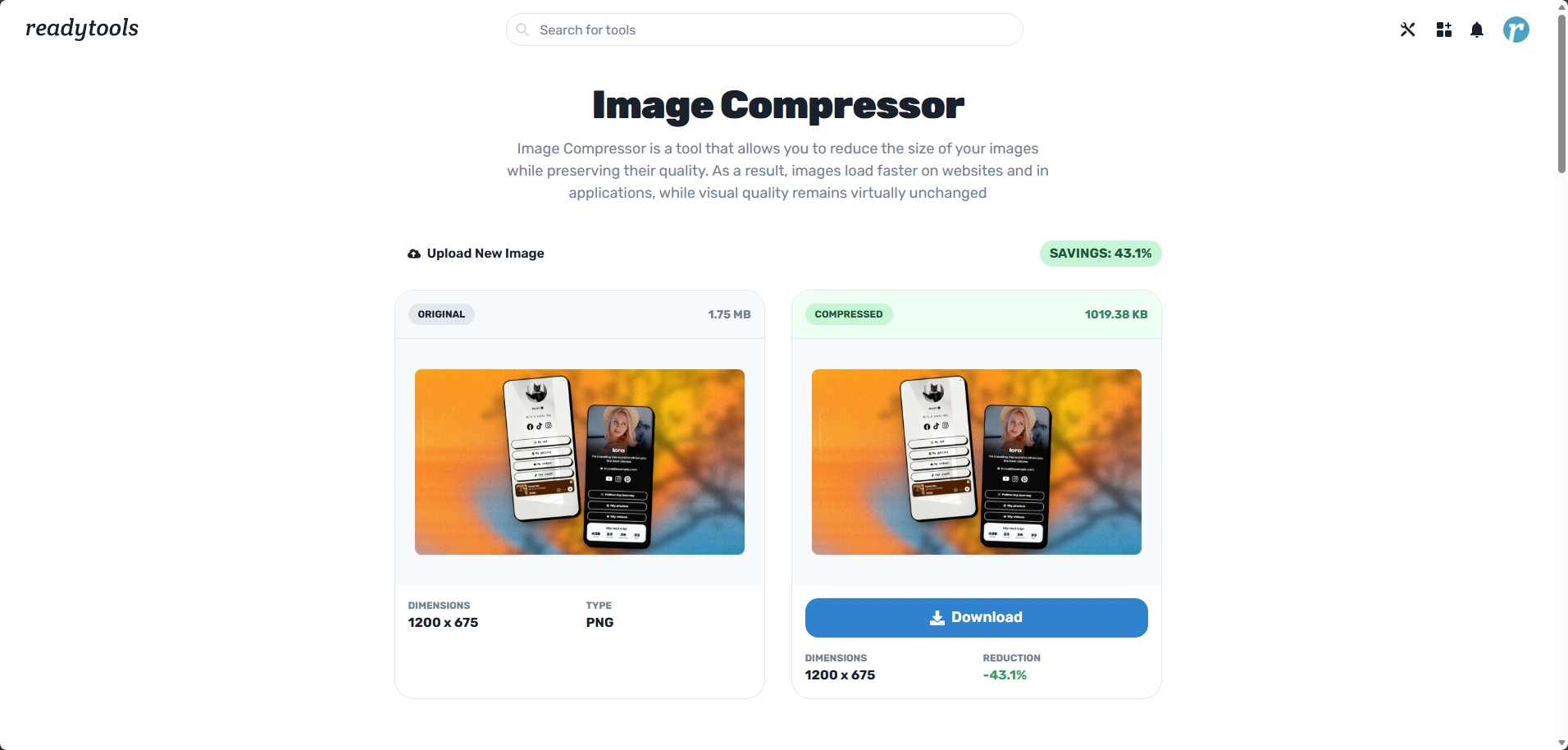
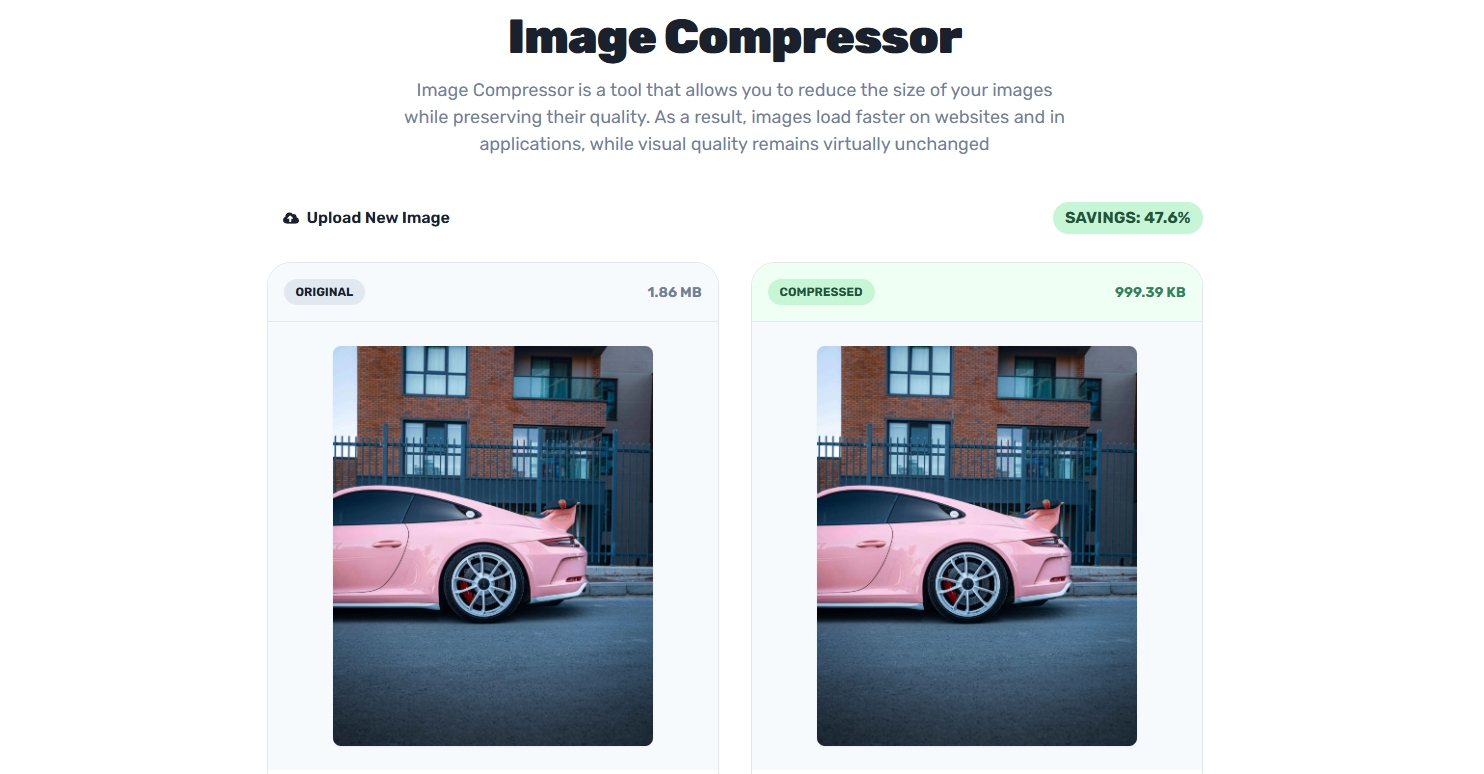
It is a clean browser-based compressor with a straightforward interface. You can drag and drop an image or select one from your computer. It supports JPG, PNG, WebP, and BMP files.
You have one important option: whether to keep the original resolution or allow the tool to reduce dimensions slightly for better compression. After processing you get a clear side-by-side view showing the original and the compressed version, along with exact file sizes and dimensions.
Everything happens locally in your browser. No files are uploaded to any server.
On regular photos and screenshots I usually achieve between 60 and 85 percent size reduction while keeping good visual quality. For web use and social media this makes a real difference in loading times.
I like having control over the resolution setting. Sometimes I need to preserve every pixel for print or detailed work. Other times I want maximum compression for online content. The toggle makes it easy to adapt to different situations.
Good content creation involves many small details. Writing the text, choosing visuals, and making sure everything loads quickly all contribute to how people experience what I share.
This tool removes friction from the optimization step. I can compress images right before publishing a blog post, preparing social media content, or cleaning up screenshots for documentation. It has become one of those quiet productivity tools I use regularly without thinking much about it.
The Image Compressor is one of many tools available in ReadyTools. Having image optimization together with AI features like Lara, note-taking, project management, and other utilities keeps everything in one place and reduces the need to switch between different applications.
If you frequently work with images for websites, blogs, social media, or client projects, having a fast and private way to compress them can save time and improve performance.
You can try the Image Compressor here: https://www.readytools.co/image/image-compressor/
New users get 7 days of Plus access completely free with no credit card required. This gives full access to the compressor and the rest of the platform.
Have you found a good image optimization workflow? Do you compress images manually or use a specific tool?
Fedezd fel a ReadyTools legjobb eszközeit, amelyekkel megkönnyítheted a mindennapi munkádat! Közösségi média, SEO, dizájn és fejlesztés – mind egy helyen, egy profil alatt.
Próbáld ki ingyenesenKeep reading
June 3, 2026
Stop chasing backlinks and focus on the basics. Many sites fail due to small, hidden SEO issues. Learn how to audit your site and fix them today.
Olvass tovább

June 3, 2026
Why human creativity still matters in marketing – and how ReadyTools’ Lara supports the idea generation process.
Olvass tovább

June 3, 2026
How we created a beautiful, powerful, and truly customizable link page — and why it’s just the beginning of a much smarter way to work.
Olvass tovább