Work with the smartest Color Palettes in 2026—you have to try them
3/2/2026
5 min read
Share
Hey friend,
You open a palette, love the colors… but then comes the real work: finding matching accents, checking contrast, building dark mode, creating gradients, assigning UI roles, and packaging everything for Figma or code.
We heard you loud and clear.
So at ReadyTools.co we just added seven brand-new smart color tools that now live directly under every single palette page. They’re powered by precise color math (golden ratio, luminance calculations, HSL geometry, contrast ratios — the classics done right).
And the best news? Anyone can try the full set completely free for 7 days.
Let’s walk through exactly what’s new and why your workflow is about to feel way smoother.
1. Instant Harmony Score & Smart Insights
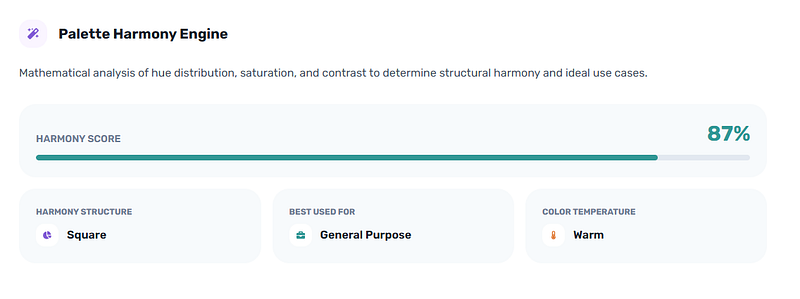
Palette Harmony Engine
Drop any palette and our color-theory engine instantly shows:
- A clear harmony score out of 100 with a clean progress bar
- The exact structure (monochromatic, analogous, triadic, complementary, square, split-complementary…)
- The best real-world use case (SaaS dashboard, luxury brand, fintech, kids app, eco product…)
- Warm / cool / balanced temperature
No more second-guessing. You know in seconds if the palette is rock-solid or needs a tiny tweak.
 Instant Harmony Score & Smart Insights
2. Expand Your Palette with Perfect Accents
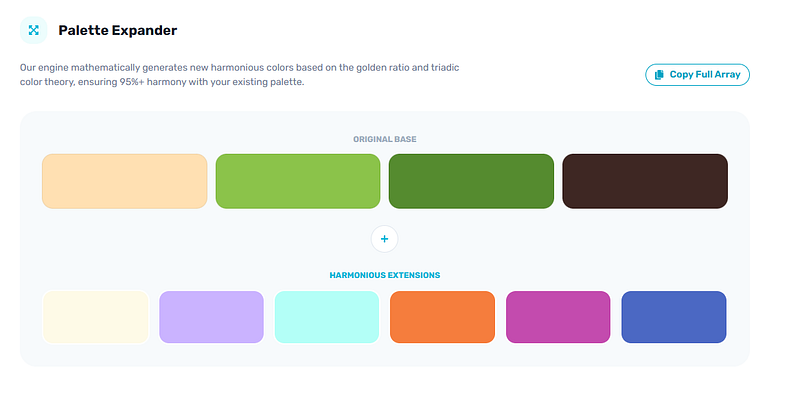
Palette Expander
Start with 4–5 colors and let our automatic golden-ratio + triadic engine generate up to 6 new harmonious accents that seamlessly complement your originals.
It keeps everything perceptually distinct, sorts by lightness, and lets you copy the full extended palette in one click. Designers are already saving hours on this step.
 Expand Your Palette with Perfect Accents
3. Automatic UI Roles for Light & Dark Mode
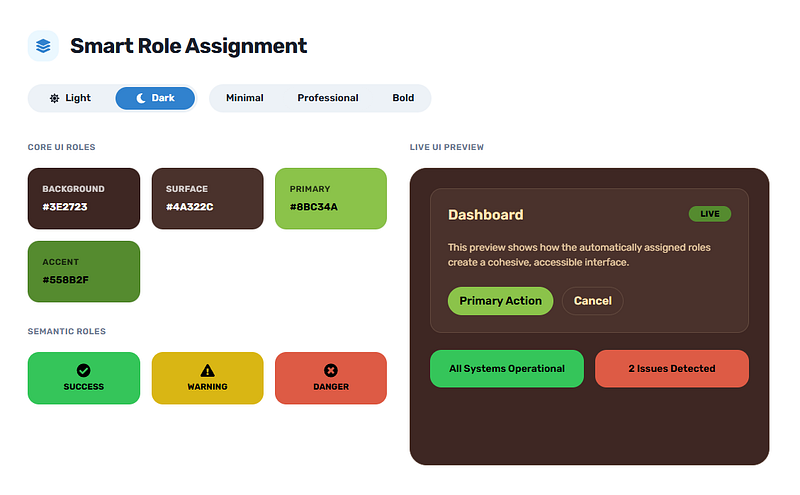
Smart Role Matrix
This one feels like magic for both designers and devs.
Choose light or dark mode, pick minimal / professional / bold preset, and the engine instantly assigns:
- Background, surface, primary, accent, border
- Plus WCAG-safe success, warning, and danger colors
You get a live dashboard preview that updates instantly as you switch presets. It’s the fastest way to go from raw palette to ready-to-use UI foundation.
 Automatic UI Roles for Light & Dark Mode
4. Full WCAG Contrast Matrix + Best Pairs
Palette Relationship Map
Accessibility used to be a chore. Now it’s one glance.
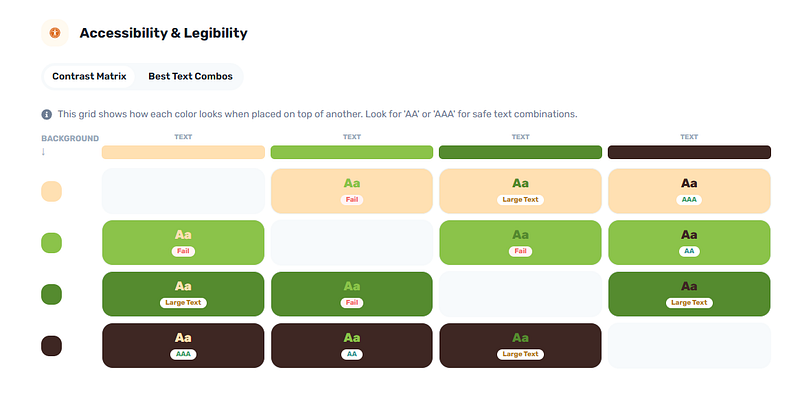
The interactive matrix shows the exact contrast ratio for every background/text combo with clear AAA / AA / large-text / fail badges.
It also highlights your top legibility pairs and spots the perfect complementary duo if one exists. Beautiful + inclusive in seconds.
 Full WCAG Contrast Matrix + Best Pairs
5. One-Click Light ↔ Dark Theme Transformer
Palette Theme Transformer
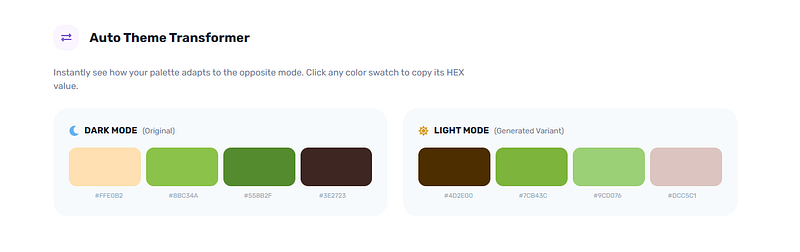
Made a killer light palette? Tap one button and we instantly generate the perfectly balanced dark version (and vice versa).
Saturation gets a smart boost in the mid-tones so nothing looks flat. Side-by-side swatches plus mini live previews of both themes. Design once, ship twice.
 Light ↔ Dark Theme Transformer
6. Ready-to-Copy Matching Gradients
Palette Gradient Blender
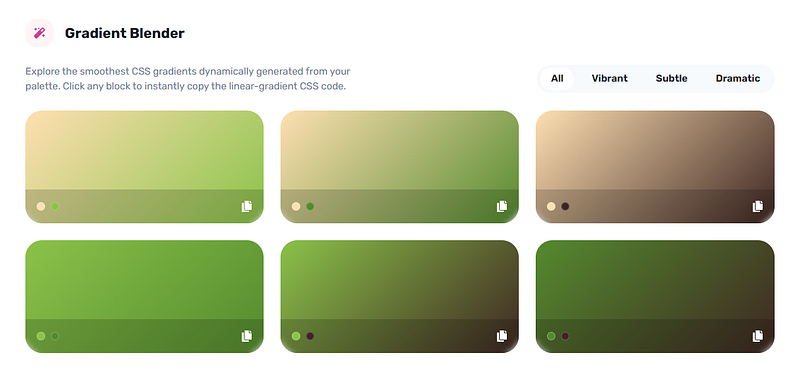
Stop guessing which colors blend well. This engine creates every possible pair and sorts them into three beautiful categories: subtle, vibrant, and dramatic.
Click any gradient to copy the exact CSS or Tailwind code. Filter by mood in one tap. Your hero sections and buttons just leveled up.
 Ready-to-Copy Matching Gradients
7. Complete Developer Export Pack
Palette Export Pack
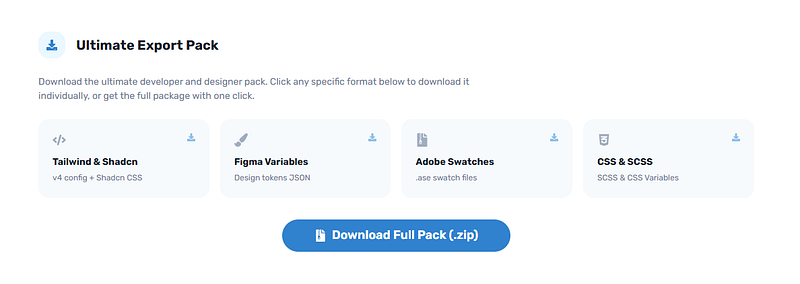
One click and you get a zip containing:
- Tailwind config + Shadcn-ready globals.css (light & dark already mapped)
- Figma design tokens JSON
- Adobe .ase swatch file
- SCSS & CSS custom properties
- Clean README with all metadata
Everything is pre-configured. Unzip and start building immediately.
 Complete Developer Export Pack
All Seven Tools Live Right on Every Palette Page
We kept everything clean and fast.
A smooth sticky navigation bar lets you jump between Harmony → UI Roles → Accessibility → Gradients → Export without losing your flow. Everything runs instantly in your browser — no loading spinners, no extra tabs.
And yes — these tools now appear under every color palette on ReadyTools for Plus and Max members.
Who Gets Them?
Plus and Max subscribers only.
Free users still get our beautiful palette viewer, SVG exports, spec posters, and basic downloads — which are already stronger than most dedicated tools.
But the moment you upgrade (or start your free trial), these seven precision engines unlock instantly on every palette.
Try All Seven Tools Free for 7 Days
We’re so confident these will change how you work with color that we made testing ridiculously easy.
Just go to any palette page, hit the “Try for 7 days free” button, and the full toolkit appears.
And remember — your ReadyTools subscription isn’t just about these powerful color tools. It gives you the entire ecosystem: Linksy for smart link-in-bio pages, Notes for your smart notebook, Boardly for visual project boards, Vault for secure file storage, Lara our helpful AI assistant, 185+ practical web tools — all in one simple monthly plan.
Ready to work smarter with color?
Whether you’re building your next SaaS product, refreshing a brand identity, or just want palettes that actually work in real projects, these new tools are built to save you hours every single week.
Click below, open any palette, and start your 7-day free trial right now.
We can’t wait to see what you create.
— The ReadyTools team
P.S. If you’re already a Plus or Max member, just refresh any palette page and the new tools will appear instantly. Go play — you’re going to love how much faster this feels.
Start your free 7-day trial → readytools.co/color-palette/
(Or search any color on the site — the new tools are waiting for you.)
Cover Image Source: readytools.co
Enjoyed the article?
Discover the best tools from ReadyTools to streamline your daily work! Social media, SEO, design, and dev – all in one place, under one profile.
Try for freeTable of Contents
Related Posts
15 Python String Tricks That Will Transform Your Code Overnight!
3/4/2026
Discover 15 essential Python string methods from basics like split() to advanced tricks. Level up your coding skills fast with practical tips for beginners
AI That Reads Websites: Create Scroll-Stopping Social Posts in Seconds
2/28/2026
Our AI Social Media Post Generator just got smarter. Paste any link, pick your platform, and watch it read the full page to craft perfect, longer posts with a live preview of exactly how they’ll look. Only at ReadyTools.co.
Create Custom QR Codes That Stand Out (Free + Dynamic)
2/28/2026
At ReadyTools.co we got tired of boring, unreliable QR codes too. So we built the one we always wished existed: a free online QR code generator that lets y