QR Code Generator
Advanced Design Tool
Create Unique QR Codes That Stand Out
Create fully customized, dynamic QR codes with your own logo, brand colors, and unique patterns. Track scans and update links anytime.
Dynamic Tracking
Logo Integration
Custom Colors
Endless Possibilities. One Single Code.
QR codes bridge the gap between the physical and digital worlds. Discover how different data types can transform your business operations and customer experience.
Instant Networking
Share your contact details instantly with a vCard QR code. One scan, and your clients can immediately save your name, phone number, and email to their contacts.
Seamless Wi-Fi
Perfect for cafes, hotels, or offices. Generate a code that connects your guests to your secure network instantly, without typing a password.
Marketing and E-commerce
Direct customers to your website, a specific product page, or a digital menu. Measure the success of your physical marketing campaigns in real-time.
Save Event to Calendar
Embed an entire event. Upon scanning, the user's calendar app opens instantly with pre-filled dates, times, and location.
Instant Customer Support
Start a WhatsApp chat, an SMS, or an email with a pre-written message. Make it incredibly easy for your customers to get in touch.
Map Navigation
Share your precise geographic coordinates. After scanning, the customers' map application opens instantly, directing them straight to your business.
Design Engine
Create Freely. The Code Will Work.
ReadyTools' QR generator is extremely forgiving. No matter what shapes, gradients, or large logos you use, built-in error correction and contrast checking guarantee your code remains readable.
PATTERN STYLE
ClassyCORNER RADIUS
100%
Structural Freedom
Break away from boring squares. Transform the data pattern into dots, asymmetric shapes, or rounded blocks. You can style the inner and outer corner frames completely independently.
Drag logo to Vault
Hide Background Dots
Smart Logo Integration
Embed your brand logo perfectly. The system automatically creates a clean 'safety zone' by hiding distracting background dots behind the image.
GRADIENT
Linear#3B82F6
#A855F7
Advanced Gradients
Apply linear or radial gradients to both the pattern and the background. Set precise angles to ensure the visuals perfectly match your brand identity.
ERROR CORRECTION
30% (High)WCAG CONTRAST
14.5:1
Built-in Reliability
Experiment with confidence. High (30%) error correction and live WCAG contrast checking ensure that even your most extreme designs are instantly scannable by any smartphone.
Dynamic Tracking
Measure Every Scan. In Real-Time.
Turn physical interactions into measurable data. When you create a Dynamic URL QR code, you receive a professional analytics system to track your campaign's success from day one.
1,248 SCANS
Live Scan History
Track your traffic instantly. See exact scan times, compare days, and analyze long-term trends for up to 6 months.
TOP COUNTRY
United States
TOP DEVICE
iOS (iPhone)
Audience Analytics
Find out who is scanning your codes. Our system automatically logs the country of origin and device type (iOS, Android, Desktop) for every interaction.
1 Code
1K Scans
5 Codes
5K Scans
50 Codes
50K Scans
500 Codes
250K Scans
Scalable Limits for Every Need
From personal projects to enterprise campaigns, our infrastructure handles the load. Start with the free 1 Code / 1,000 Scans (Free), level up with Go (5 Codes / 5,000 Scans) or Plus (50 Codes / 50,000 Scans), and enjoy maximum power with the Max (500 Codes / 250,000 Scans) package.
Live Data Stream
Follow the results. Minute by minute.
Don't wait until tomorrow for data. Our 'Last 30 Minutes' pulse view shows exactly when and where scans are happening at this very moment. A perfect tool to see the immediate impact of a live event, a new video, or a launched campaign.
Instant Interaction Tracking
Live Location Data
Scans in last 30 minutes
842
Live
-30m
-15m
Now
Top Country
United States
Top Device
iPhone (iOS)
Why average QR codes fail where we succeed.
Most free tools just generate a simple image. We built an engine that calculates contrast live, manages spatial margins, and ensures your codes work in the real world.
Guaranteed Scannability (WCAG)
Never guess if your colors work again. Our live WCAG contrast checker precisely calculates the luminance between the foreground and background, guaranteeing AAA or AA ratings.
Basic Generators
Readability
UnknownLow Contrast
Professional Engine
WCAG Ratio
AAA (14.5:1)vs
Perfect Safety Zone for Logos
Adding a logo shouldn't break the code. Our 'Hide background dots' feature automatically and safely cleans the data pattern under your image, keeping it sharp, clean, and functioning perfectly.
Basic Generators
Professional Engine
Independent, Meticulous Styling
Don't settle for simple squares. Apply complex linear or radial gradients, and style the outer frames and inner corners completely independently from the main pattern.
Basic Generators
Shapes
1 Option
Professional Engine
Advanced Styling
The Power of Premium
Enjoy absolute freedom. Never reprint again.
We put the ultimate campaign superpower into the hands of our Plus and Max subscribers. Protect your printing investments by being able to modify both the design and destination of your QR codes at any time, long after they've been printed and distributed.
Plus & Max Benefit
STYLE EDITOR
Live SyncBRAND COLOR
PATTERN ID
#QR-882X
Live Identity Update
Company rebranded? As a premium member, you can transform the colors, logo, and shapes of your saved QR code at any time on the dashboard. The digital appearance updates instantly everywhere, while the printed physical code remains perfectly readable.
Plus & Max Benefit
ENDPOINT ROUTING
ActiveDESTINATION URL
https://example.com/summer
Dynamic Endpoint Routing
Launch a brand new promotion without throwing away existing product packaging. Enjoy the exclusive opportunity to redirect your printed QR code to a new website, video, or menu with just one click.
One-Click Templates
Not a designer? No problem.
You don't need graphic design skills to create stunning QR codes. ReadyTools is built for your convenience: with our built-in template library, you can apply perfectly balanced colors and shapes with a single click.
10+ Premium Styles
Zero Effort
PRESET GALLERY
1-Click ApplyMidnight
Startup
Nordic
Ruby
Select a style to apply instantly
Linksy Integration
Don't just share a link.
Share your entire world.
Why limit your QR code to a single, boring URL? Connect your code to a stunning, fully customizable Linksy page. Collect your links, content, social profiles, and products in one unique place.
Create Your Linksy Page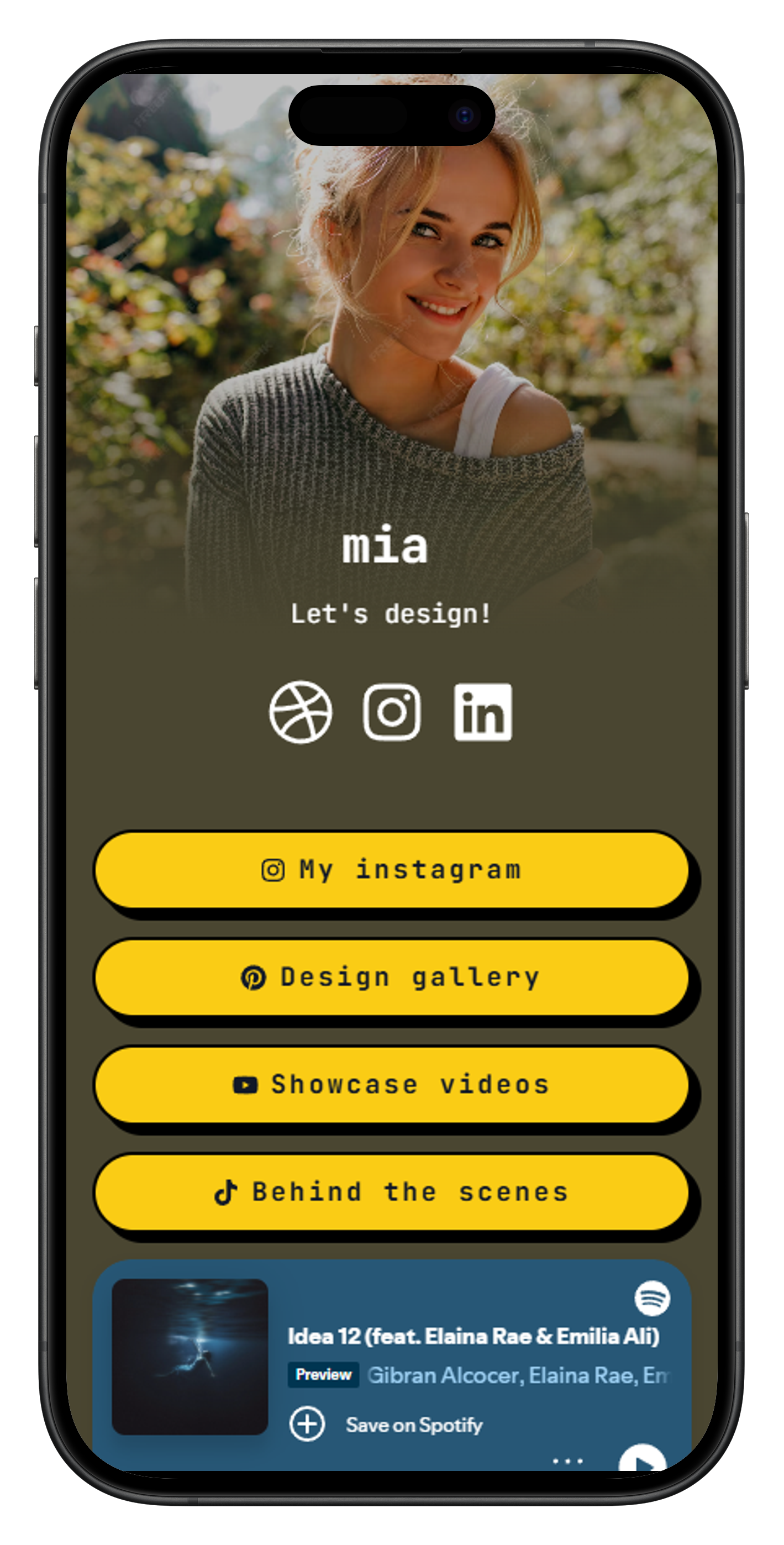
Knowledge Base
Frequently Asked Questions
Everything you need to know about dynamic QR code generation, statistics, and design features.
Ready to take your QR strategy to a professional level?
Join thousands of creators and businesses worldwide using ReadyTools.